
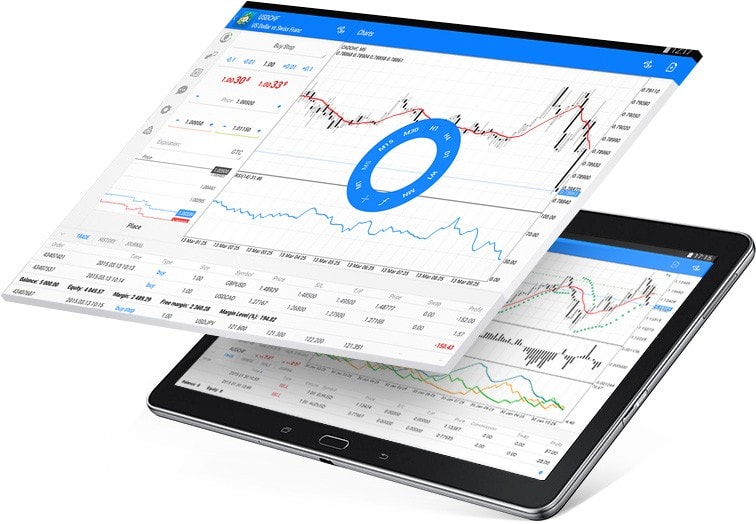
MetaTrader 4 (MT4) is a widely used platform for forex trading, known for its user-friendly interface and powerful features. Here’s everything you need to know about using Metatrader 4 for android device:
Installation and Setup: You can download MetaTrader 4 for Android from the Google Play Store. Once installed, open the app and log in using your broker-provided credentials. The app is designed to be intuitive, with a layout optimized for mobile trading.
Features: MT4 for Android offers a range of features to enhance your trading experience. You can access real-time quotes, interactive charts with customizable timeframes, technical analysis tools (indicators and graphical objects), and trade execution capabilities directly from your smartphone or tablet.
Trading: Executing trades on MT4 Android is straightforward. Simply select a currency pair or asset, choose the volume, set stop loss and take profit levels if desired, and confirm the trade. The platform supports market orders, pending orders, and offers instant trade execution.
Charts and Analysis: The charting functionality on MT4 Android allows you to analyze price movements using various technical indicators like Moving Averages, MACD, RSI, and more. You can also draw trendlines and add other graphical objects to visualize market trends and potential entry or exit points.
Customization: MT4 for Android is highly customizable. You can adjust chart properties, set up alerts for price levels or indicator conditions, and even create custom indicator scripts using the MetaEditor tool on your PC and then sync them to your mobile device.
Security: Security is paramount in trading apps. MT4 for Android ensures secure data transmission and offers encryption of all transmitted data. Additionally, ensure your device has the latest security updates and use strong passwords for your trading account.
Syncing with PC: If you also use MT4 on your PC, you can synchronize your account settings and trading history between devices. This allows you to seamlessly transition between trading on your desktop and mobile, maintaining consistency in your trading strategy.
Support and Community: MetaTrader 4 has a large user community, which means you can find plenty of online resources, forums, and tutorials to help you maximize your use of the platform. Many brokers also offer customer support specifically for MT4 users.
In conclusion, MetaTrader 4 for Android is a robust trading platform that brings the power of forex trading to your fingertips. Whether you are a novice or experienced trader, its user-friendly interface and comprehensive features make it an excellent choice for mobile trading.
